React Native using Expo


We don't develop using React Native but we've made an example to help you get started. React Native does not support CesiumJS so we've opted to use an IFrame for the example.

We recommend looking through our Web Library examples that focus on API communication and authentication rather than rendering data as that is the same for React Native.

Starter kit

To save some setup explanation we've created a starter kit for you to use.

Download starter kit

Once you've downloaded and extracted the ZIP, run the following commands to start it up.

npm i
npx expo start

Please give the initial setup some time. It will take a while to download all the dependencies and prepare the app.

Once started you can download the Expo App on your mobile device and scan the QR code that will be shown in the terminal.
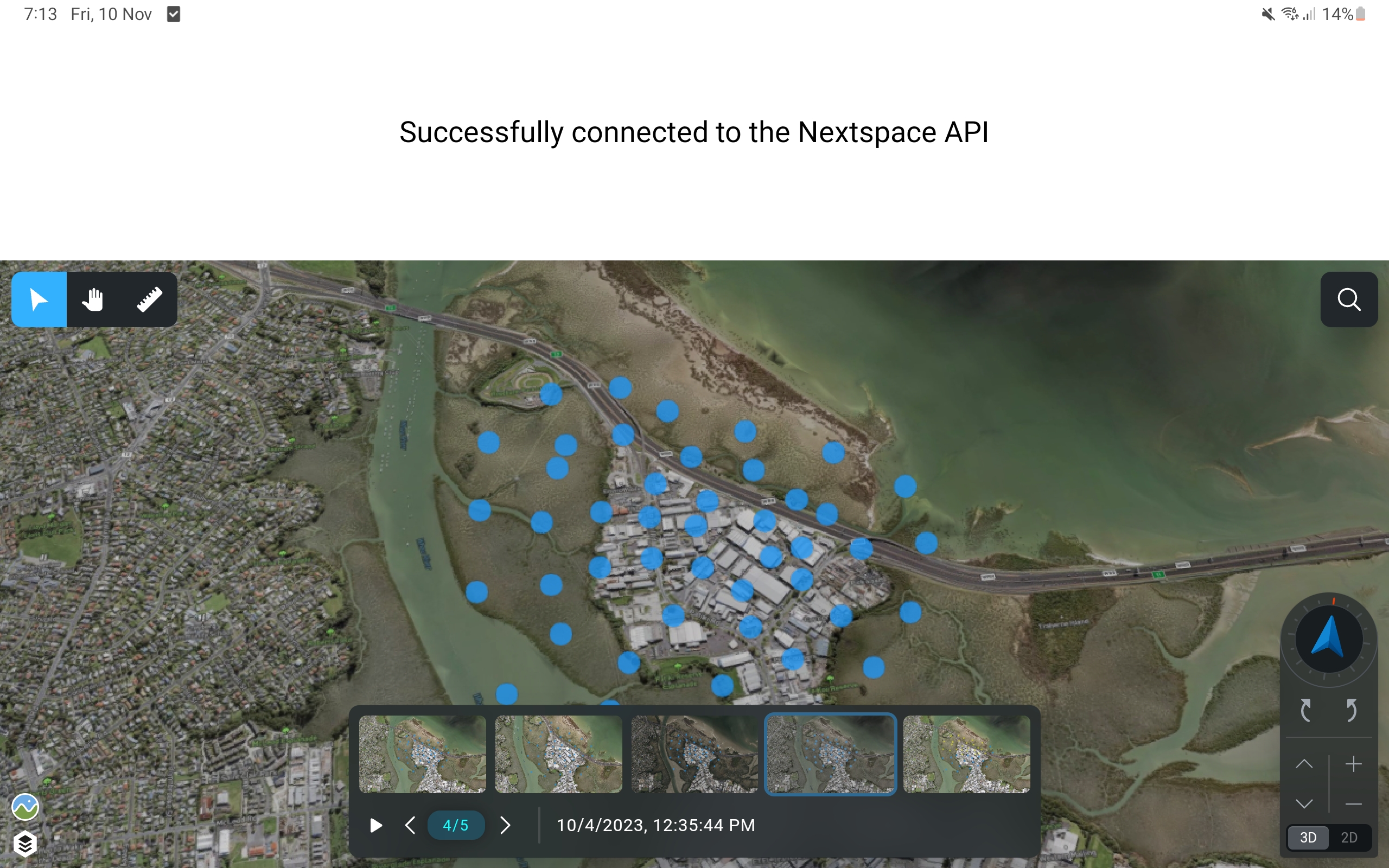
The example will showcase a basic connection to the Nextspace API, and render an IFrame of a Project View.

Within the "App.tsx" file you can edit the parameters to change the initial view to match your own account and data.

ENVIRONMENT.PARAMS = {
    ...ENVIRONMENT.PARAMS,

    // Replace with your accountId, found in your account url.
    // Eg: "https://my-account-id.nextspace.host" would mean "my-account-id" is your ID.
    // The ZIP example will be pointed at a test account.
    accountId: "<REPLACE_ME>",

    // Replace with UAT or PROD for client data.
    // DEV is for Nextspace only data.
    // The ZIP example will be set to DEV until you change it!
    env: Api.EEnv.DEV,

    // Required if your Project View is restricted.
    sessionId: ""
};

/**
 * Warning: This will not include information on Project Views that weren't accessible due to permissions.
 */
ProjectView.GetList({}).then((data) => {
    // You can use a request like this to drive the IFrame URL and load one of your Project Views.
    const views = data.views;
    if (views.length) {
        setText("Project views: " + views.map(x => x.Name).join(", "));
    }
    else {
        setText("No project views found.");
    }
}).catch((e) => {
    console.error(e);
    setText("Failed to load project views.");
});

// Replace the Iframe URL with adjusted parameters.
// Check the embed documentation site here: https://embed.nextspace-dev.net/
<WebView
    source={{ uri: 'https://embed.nextspace-dev.net/embed?id=navigator&accountId=matvey&viewId=ed84f179-41f0-4204-9eb1-12926f3821a1&env=DEV' }}
    style={styles.webview}
/>