Plugins - Developer environment
We're working to make plugin development easier as it's a tedious process to write, zip, and upload a plugin every time you want to test it.
This first iteration will include an example plugin that comes with a deployment script, and some typing that will help guide your IDE with the plugin's context.
Download starter kitThe setup and usage of the starter kit is detailed in the README file that comes with the download.
However, here are some screenshots of the expected results.
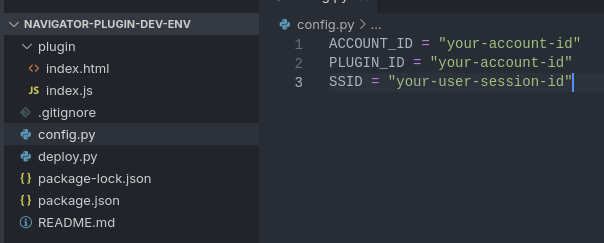
Above is the expected config you will need to know.
See above how my IDE is suggesting the plugin's context. I can 'ctrl + left-click' to jump to the definition of the plugin's context.
A quick command to deploy changes.