React


We use React as our primary framework so this is where we can best help with.

We'll be using Typescript in our examples, and the craco-cesium plugin to help with the Cesium integration.

This plugin will allow us to use the latest Cesium version instead of being limited to 1.93 where they changed their build process.

Starter kit

As Typescript setups typically involve a number of libraries working together to produce a package that can be served. We've created a starter kit for you to use.

Download starter kit

Once you've downloaded and extracted the ZIP, run the following commands to start it up.

npm i
npm start

Please give the initial setup some time. It will take a while to download all the dependencies and prepare the React app.
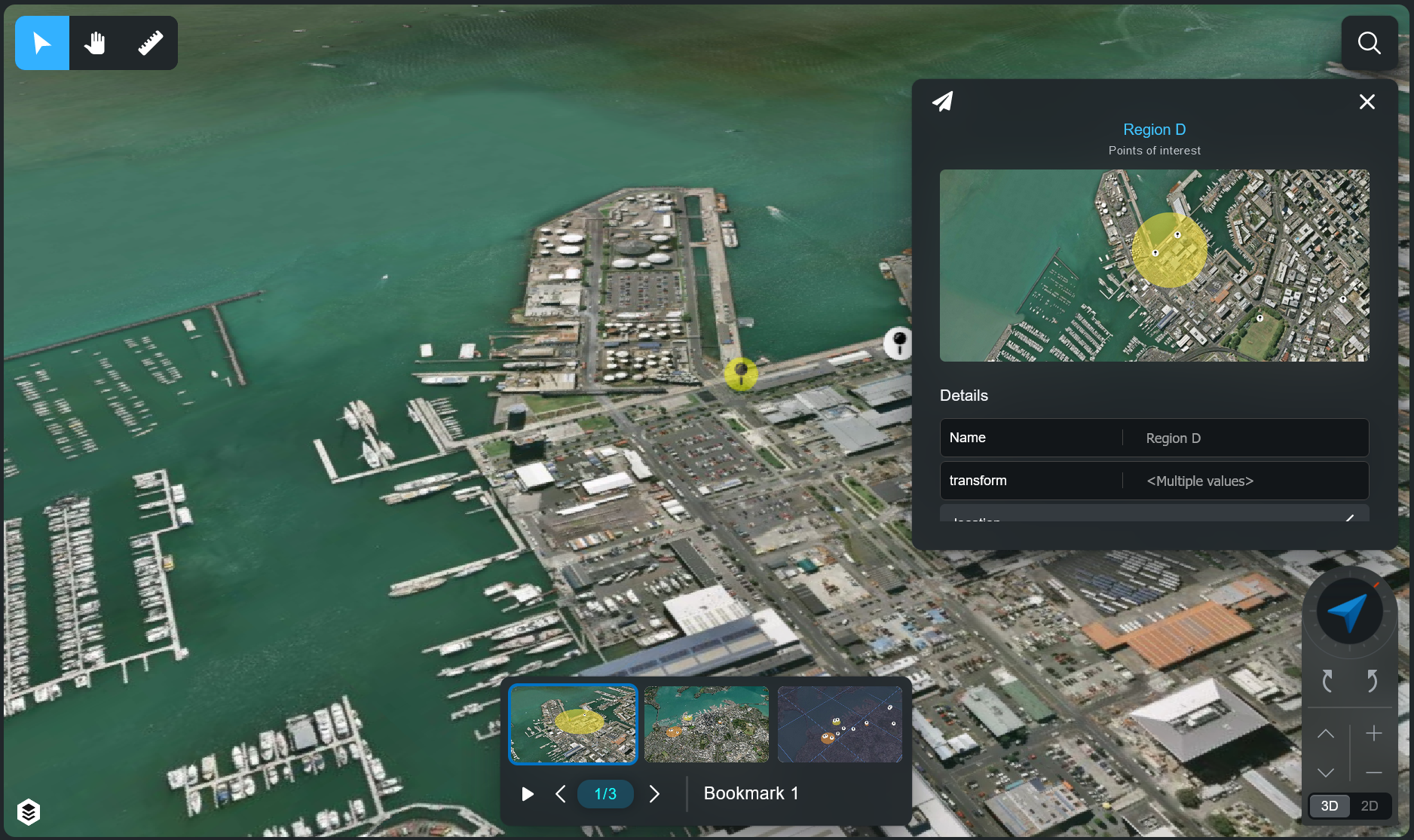
The example will load a list of bookmarks for you to select from, and render some point Entities that you can click.

Within the "Shell.tsx" file you can edit the parameters to change the initial view to match your own account and data.

const VIEW_ID = "<REPLACE_ME>";
const BOOKMARK_ID = "<REPLACE_ME>";

// Replace with your own or else you are at risk of losing bing-maps and cesium terrain access.
const CESIUM_DEFAULT_TOKEN = "eyJhbGciOiJIUzI1NiIsInR5cCI6IkpXVCJ9.eyJqdGkiOiJiODI1OWQyZC0wYzdlLTRlOTctODFlOC1kYjIwOGYzOWE0NGIiLCJpZCI6MTE3NDg0LCJpYXQiOjE2NzAzODczOTR9.sx0EZdD-Y33FQ7gB_R3CkTsk3KhNpODoQGrnpvSH4UQ";

// Please extend rather than replace like this example to avoid removing any default parameters.
ENVIRONMENT.PARAMS = {
    ...ENVIRONMENT.PARAMS,

    // Replace with your accountId, found in your account url.
    // Eg: "https://my-account-id.nextspace.host" would mean "my-account-id" is your ID.
    // The ZIP example will be pointed at a test account.
    accountId: "<REPLACE_ME>",

    // Replace with UAT or PROD for client data.
    // DEV is for Nextspace only data.
    // The ZIP example will be set to DEV until you change it!
    env: Api.EEnv.DEV,
    sessionId: ""
}